Check Redirect Location
Check Redirect Location
Section titled “Check Redirect Location”Every page on the Internet has an address called a URL - which stands for Uniform Resource Locator.
Sometimes, content moves from one URL to another URL. That’s when you need a redirect.
A redirect automatically makes a browser go from one URL to another URL.
Testomato allows you to check redirect location and response codes.
Types of Redirects
Section titled “Types of Redirects”- 301, "Moved Permanently"—recommended for SEO
- 302, "Found" or "Moved Temporarily"
- Meta Refresh
For a deeper look at how these and other redirect codes work, see our complete guide to HTTP status codes.
The HyperText Transfer Protocol (HTTP) 301 Moved Permanently redirect status response code indicates that the resource requested has been definitively moved to the URL given by the Location headers. The 301 redirect is the best method for implementing redirects on a website. Get more info about 301 redirects.
The 302 Found redirect status response code indicates that the resource requested has been temporarily moved to the URL given by the Location header. Get more info about 302 redirects.
Meta refreshes are a type of redirect executed on the page level rather than the server level. They are usually slower, and not a recommended SEO technique.
<http-equiv="refresh" content="0; url=https://example.com/">Create new Page check
Section titled “Create new Page check”First you have to create a new Page check:
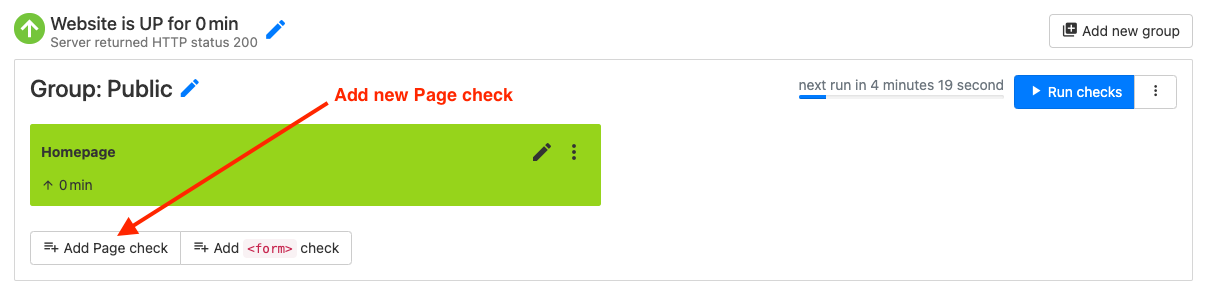
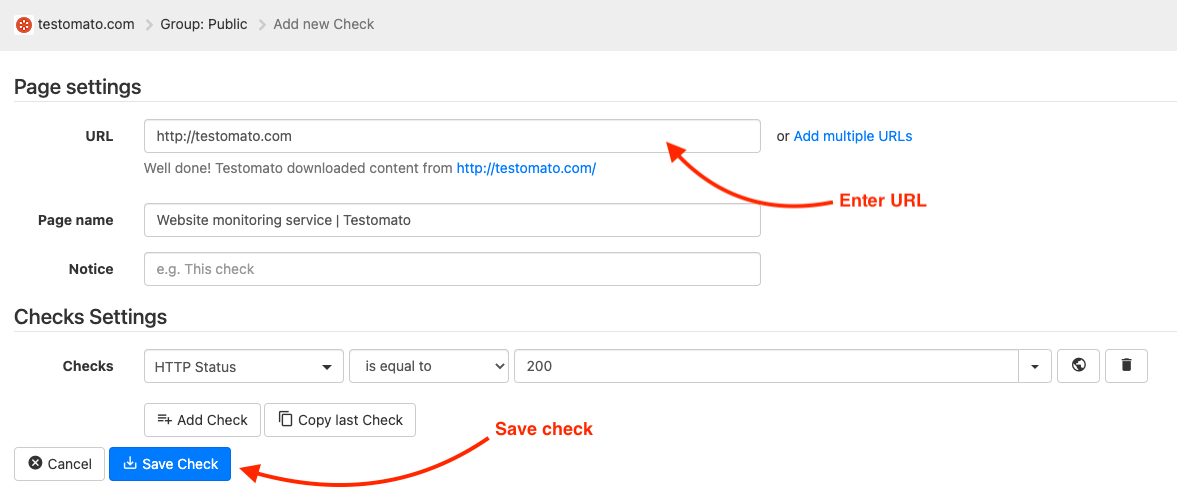
Enter the URL you want to check:
Check Redirect response code
Section titled “Check Redirect response code”Click on the pencil to edit Page check:

Edit new Page check:
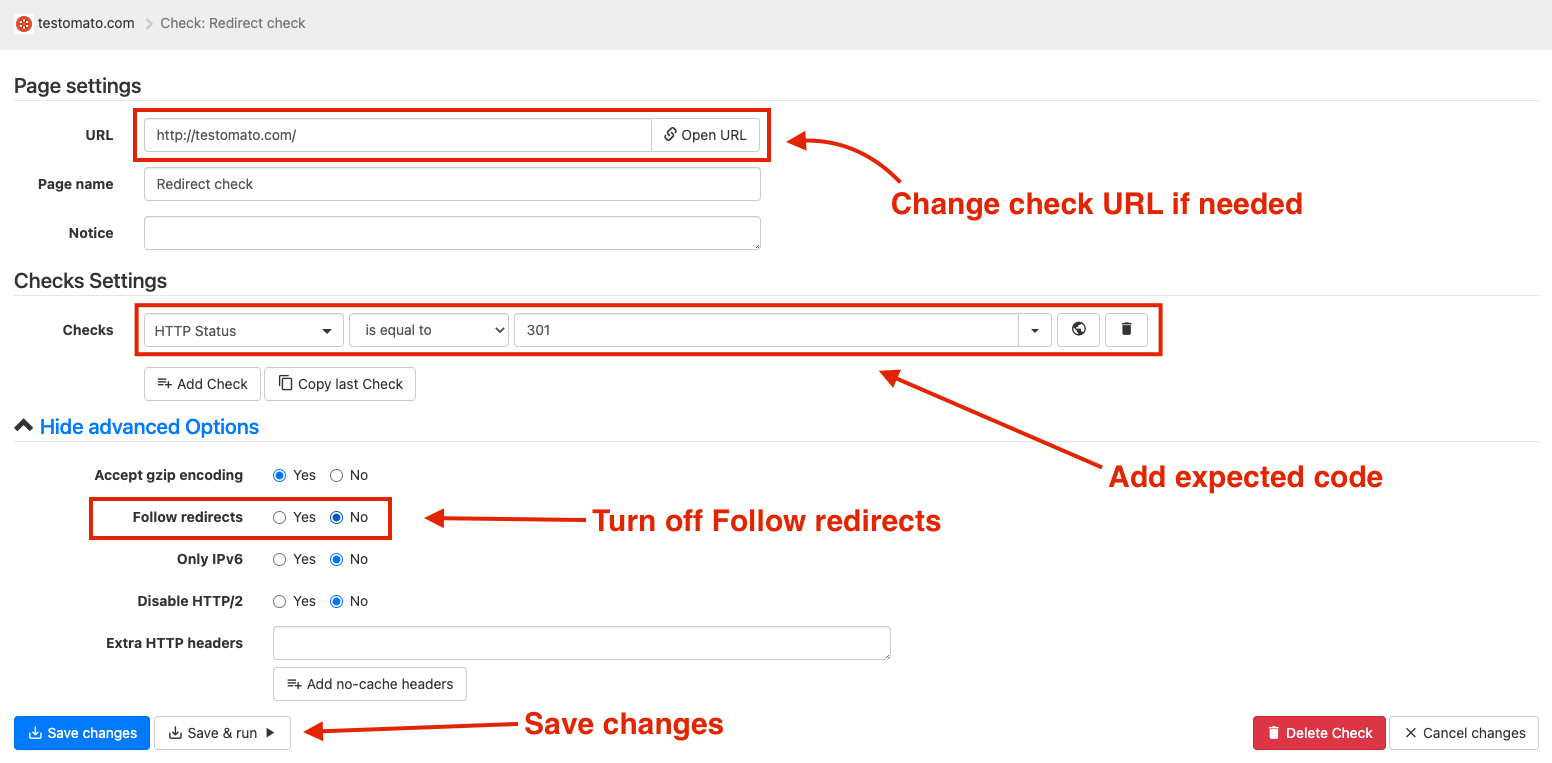
- Change check URL if needed
- Add expected response code
- Turn off Follow redirects
- Save changes
Check Redirect location URL
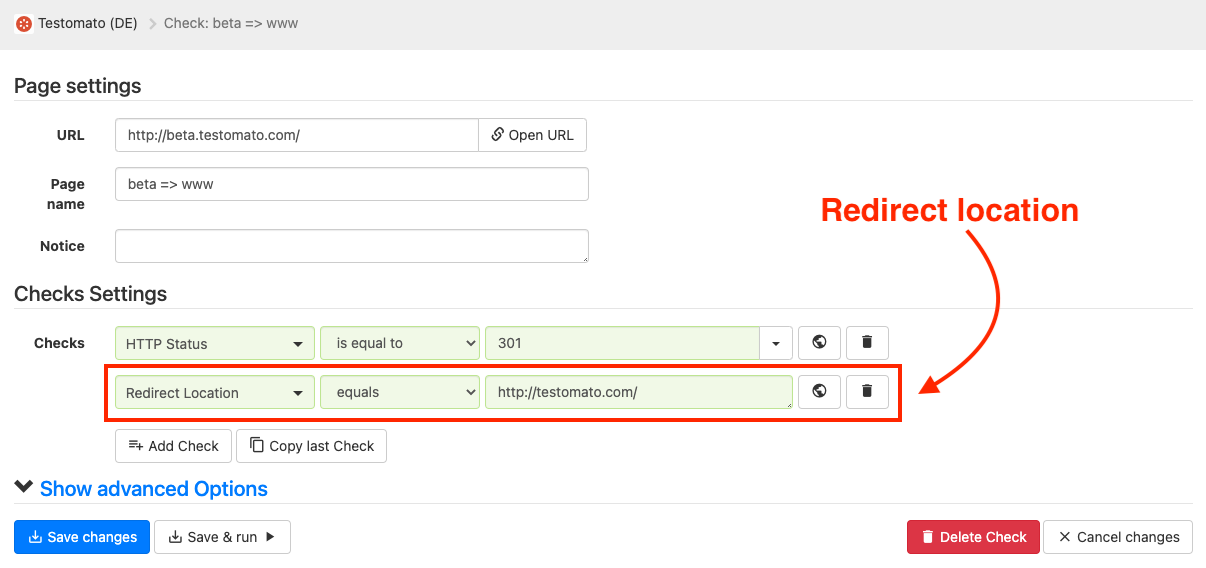
Section titled “Check Redirect location URL”You can also check exact Redirect location URL. Click on the pencil to edit Page check:
Add Redirect Location check: