
API tokens
An API token lets scripts, CI pipelines and other tools use the Testomato API on your behalf.
The API accepts two kinds of token: a short-lived login token and a long-lived personal access token.
| Login token | Personal access token | |
|---|---|---|
| Get it from | POST /api/authenticate |
Account settings |
| Lifetime | 1 hour, up to 1 day | 30, 90 or 365 days, or no expiration |
| Revocable | No | Yes |
Create a personal access token
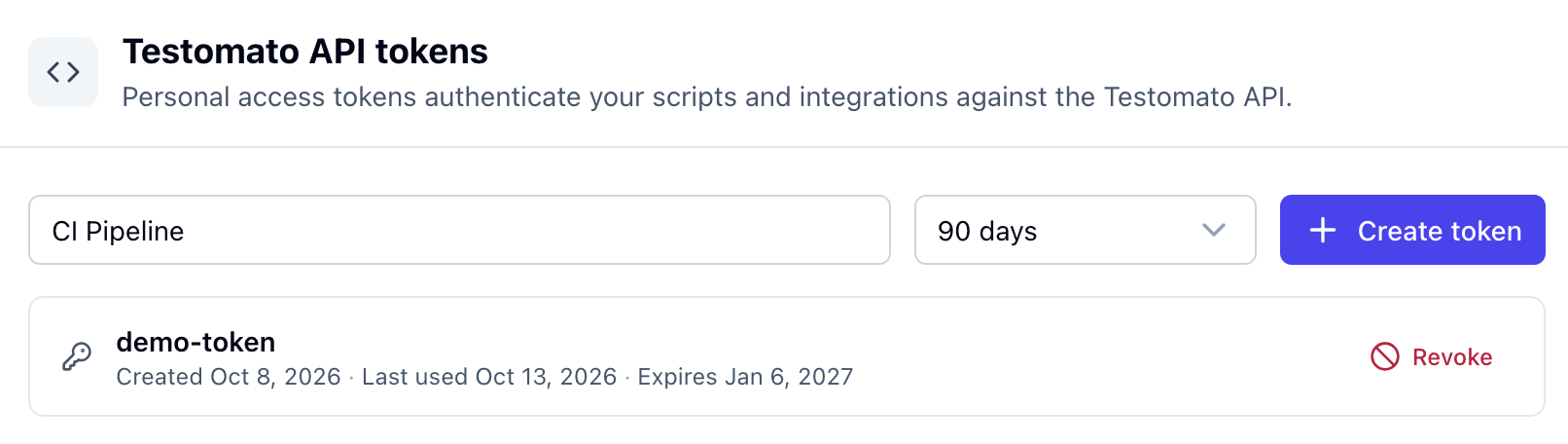
Section titled “Create a personal access token”- Open Account settings and go to API & access.
- Name the token after where you will use it, for example CI pipeline.
- Pick a lifetime.
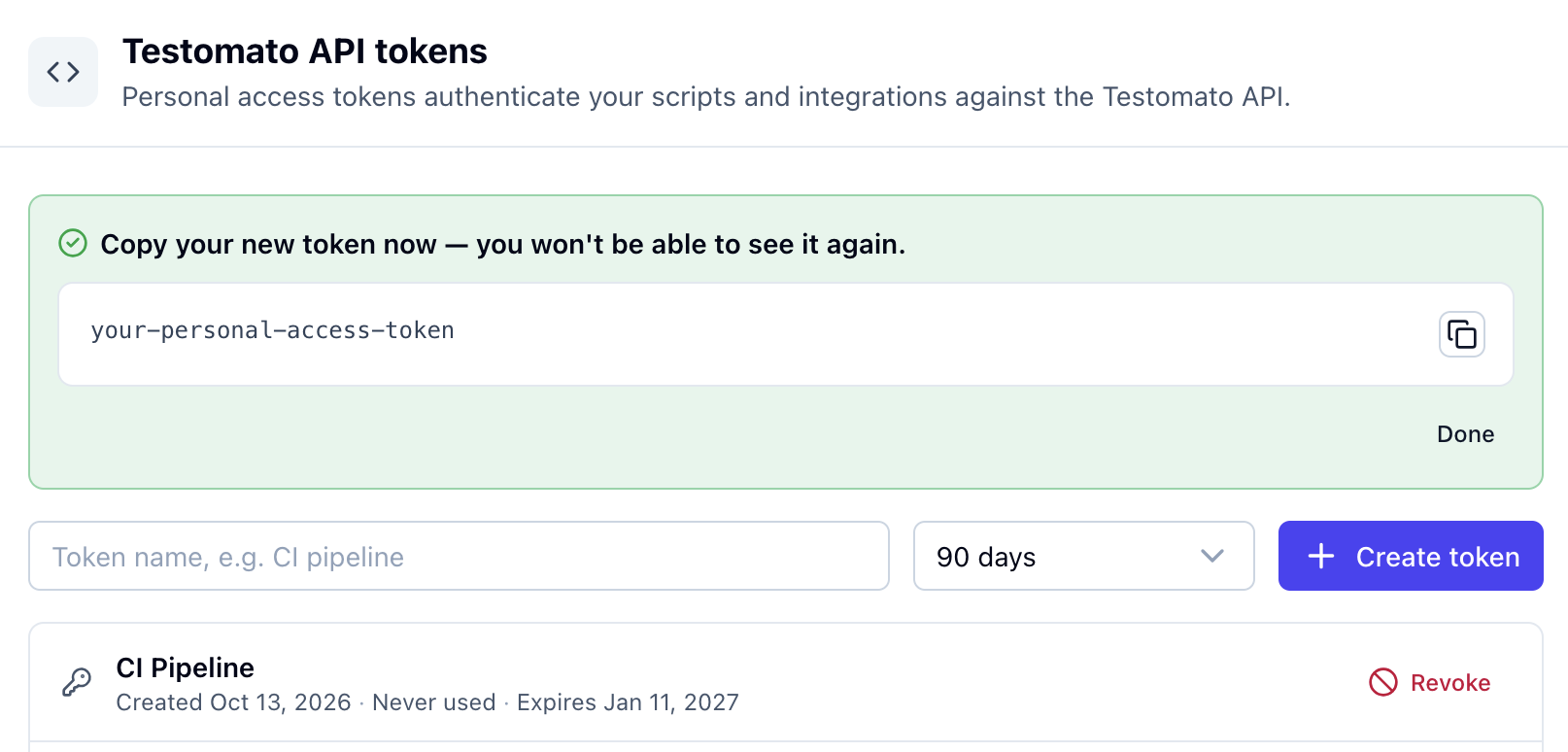
- Click Create token and copy the token. It is shown only once.
Get a login token
Section titled “Get a login token”Send your email and password to POST /api/authenticate. The response is the token.
curl -X POST https://testomato.com/api/authenticate \ -H "Content-Type: application/json" \ -d '{"email": "you@example.com", "password": "YOUR_PASSWORD"}'The token lasts 1 hour. To change that, add "exp": "+8 hours" to the body. The maximum is 1 day.
Use a token
Section titled “Use a token”To check that a token works, call Verify API token:
curl -H "Authorization: Bearer <token>" https://testomato.com/api/authenticateA working token returns your user ID, name and email.
Manage personal access tokens
Section titled “Manage personal access tokens”API & access lists your active tokens with their creation date, last use and expiry. You can have up to 15 active tokens.
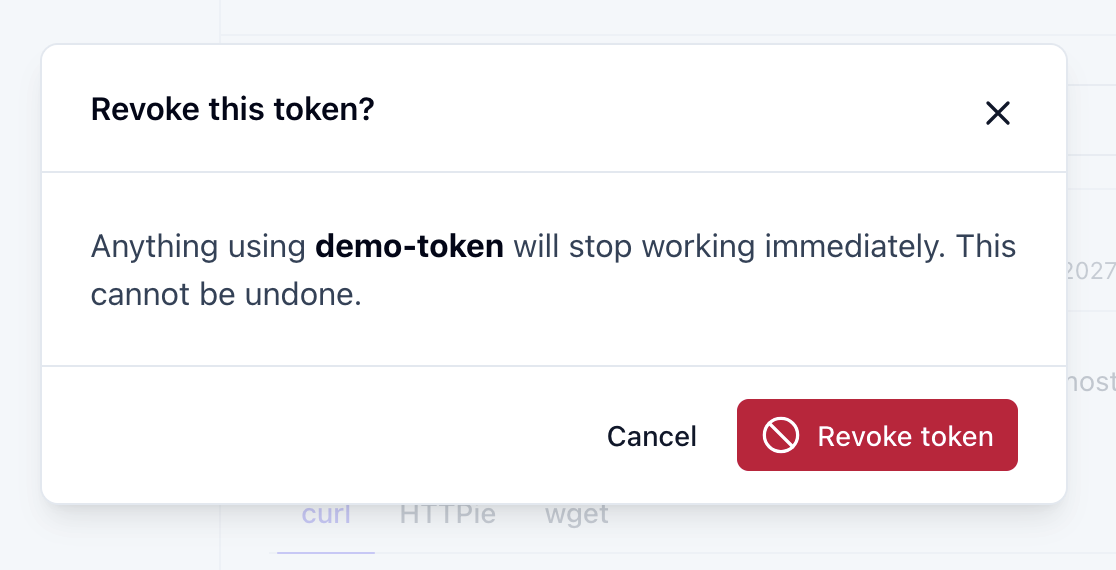
Revoke cancels a token immediately. The next request that uses it fails.
When a token stops working
Section titled “When a token stops working”A token stops working when it expires or is revoked. Changing or resetting your password revokes all your personal access tokens. Login tokens stay valid until they expire.
Create a new token and replace the old one wherever you use it.
Which token to use
Section titled “Which token to use”- Login token for scripts that log in with your email and password each time they run. See Get API token.
- Personal access token for CI pipelines, integrations and AI clients connected through the MCP server.
Keep tokens safe
Section titled “Keep tokens safe”Anyone who has a token can use the API as you, so treat it like a password. If a personal access token leaks, revoke it. A leaked login token can't be revoked and works until it expires, at most 1 day.
Personal access tokens can only be created, listed and revoked from a signed-in browser session, so someone with a leaked token can't use it to create new ones.