An API token lets scripts, CI pipelines and other tools use the [Testomato API](/api/) on your behalf.

The API accepts two kinds of token: a short-lived login token and a long-lived personal access token.

| | Login token | Personal access token |
| --- | --- | --- |
| Get it from | `POST /api/authenticate` | Account settings |
| Lifetime | 1 hour, up to 1 day | 30, 90 or 365 days, or no expiration |
| Revocable | No | Yes |

## Create a personal access token

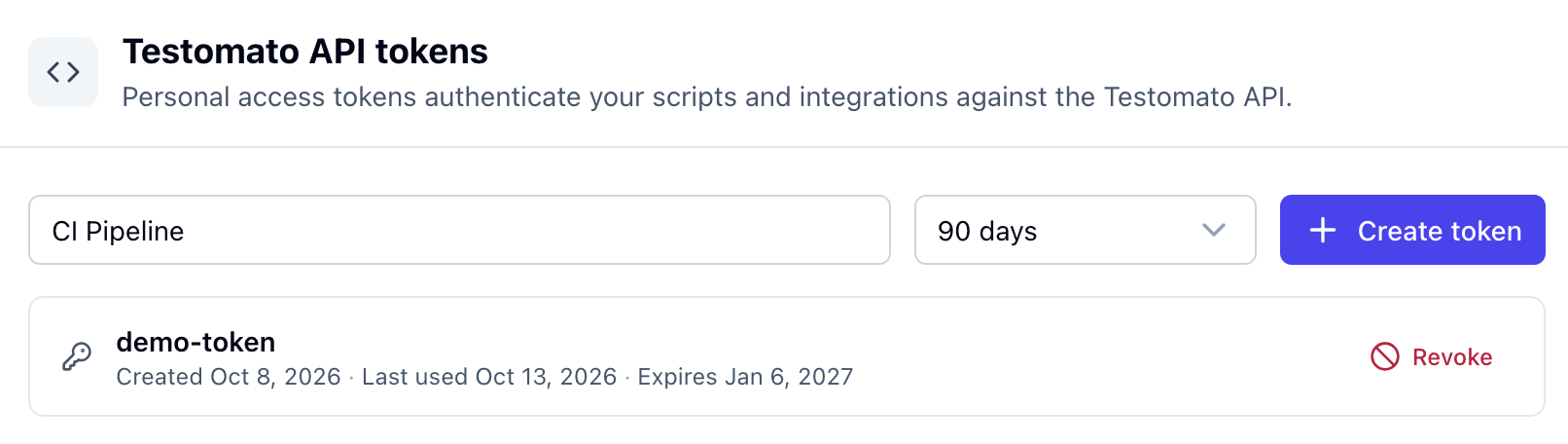
1. Open [Account settings](https://testomato.com/app/user/settings#api) and go to **API & access**.
2. Name the token after where you will use it, for example *CI pipeline*.
3. Pick a lifetime.
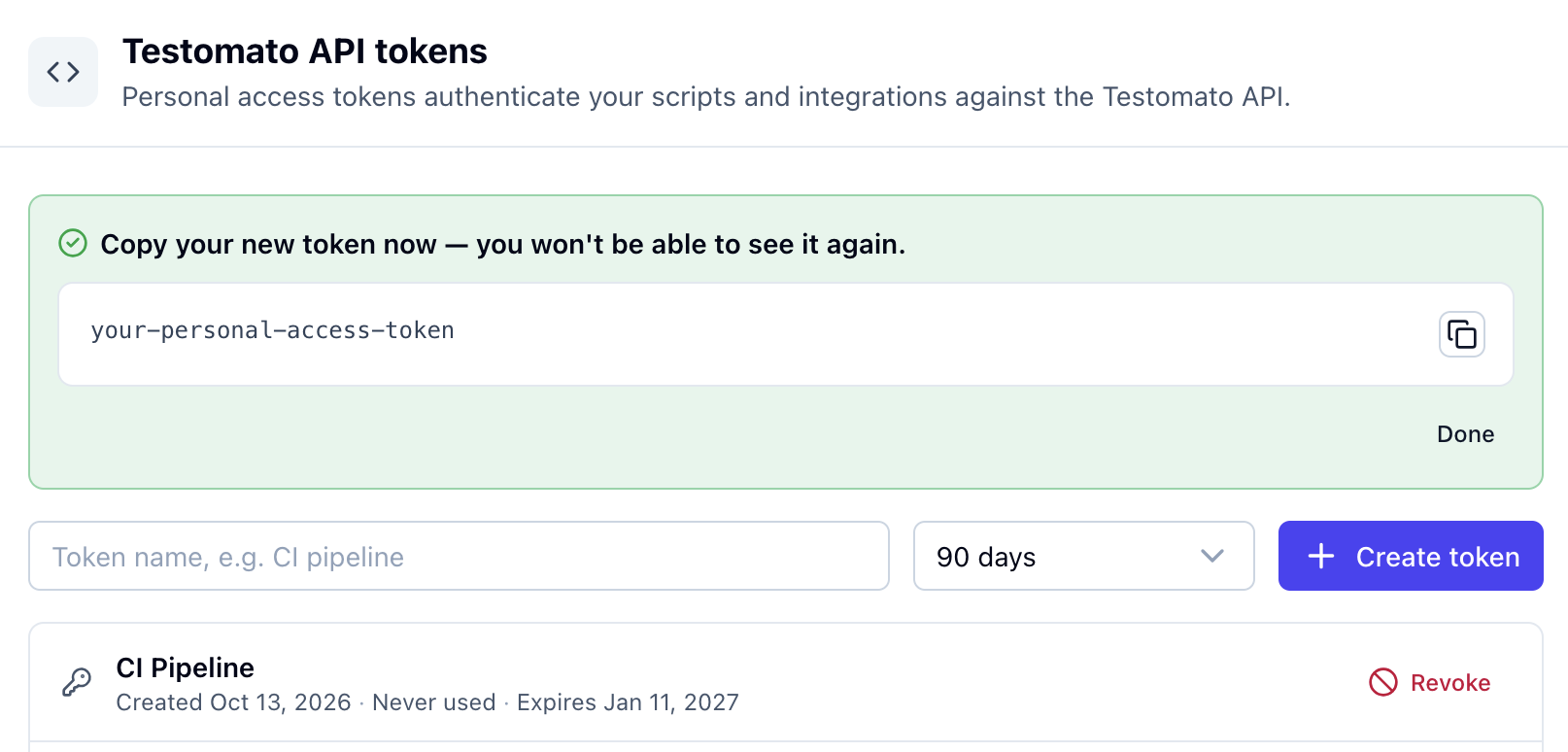
4. Click **Create token** and copy the token. It is shown only once.

<div class="screenshot-sequence">

<div class="screenshot">

![Testomato API tokens form with a token name, lifetime and Create token button](/img/account/create-token.png)

</div>

<div class="screenshot">

![New token shown once, with a copy button](/img/account/copy-token.png)

</div>

</div>

## Get a login token

Send your email and password to `POST /api/authenticate`. The response is the token.

```shell
curl -X POST https://testomato.com/api/authenticate \
  -H "Content-Type: application/json" \
  -d '{"email": "you@example.com", "password": "YOUR_PASSWORD"}'
```

The token lasts 1 hour. To change that, add `"exp": "+8 hours"` to the body. The maximum is 1 day.

## Use a token

To check that a token works, call [Verify API token](/api/operations/verify-api-token/):

```shell
curl -H "Authorization: Bearer <token>" https://testomato.com/api/authenticate
```

A working token returns your user ID, name and email.

## Manage personal access tokens

**API & access** lists your active tokens with their creation date, last use and expiry. You can have up to 15 active tokens.

**Revoke** cancels a token immediately. The next request that uses it fails.

<div class="screenshot">

![Revoke this token? confirmation dialog](/img/account/revoke-token.png)

</div>

## When a token stops working

A token stops working when it expires or is revoked. Changing or resetting your password revokes all your personal access tokens. Login tokens stay valid until they expire.

Create a new token and replace the old one wherever you use it.

## Which token to use

- **Login token** for scripts that log in with your email and password each time they run. See [Get API token](/api/operations/get-api-token/).
- **Personal access token** for CI pipelines, integrations and AI clients connected through the MCP server.

<!-- TODO: link "MCP server" above to the MCP page once it exists: https://github.com/testomato/help.testomato.com/issues/18 -->

## Keep tokens safe

Anyone who has a token can use the API as you, so treat it like a password. If a personal access token leaks, revoke it. A leaked login token can't be revoked and works until it expires, at most 1 day.

Personal access tokens can only be created, listed and revoked from a signed-in browser session, so someone with a leaked token can't use it to create new ones.